Estimates live somewhere
Planning numbers sit in a note, a message, or a rough spreadsheet of their own.

By Boss Mode · Digital download
Quotes change. Extras get approved. Deposits go out. Actuals stop matching estimates — and nobody has one place that shows all three. This spreadsheet does.
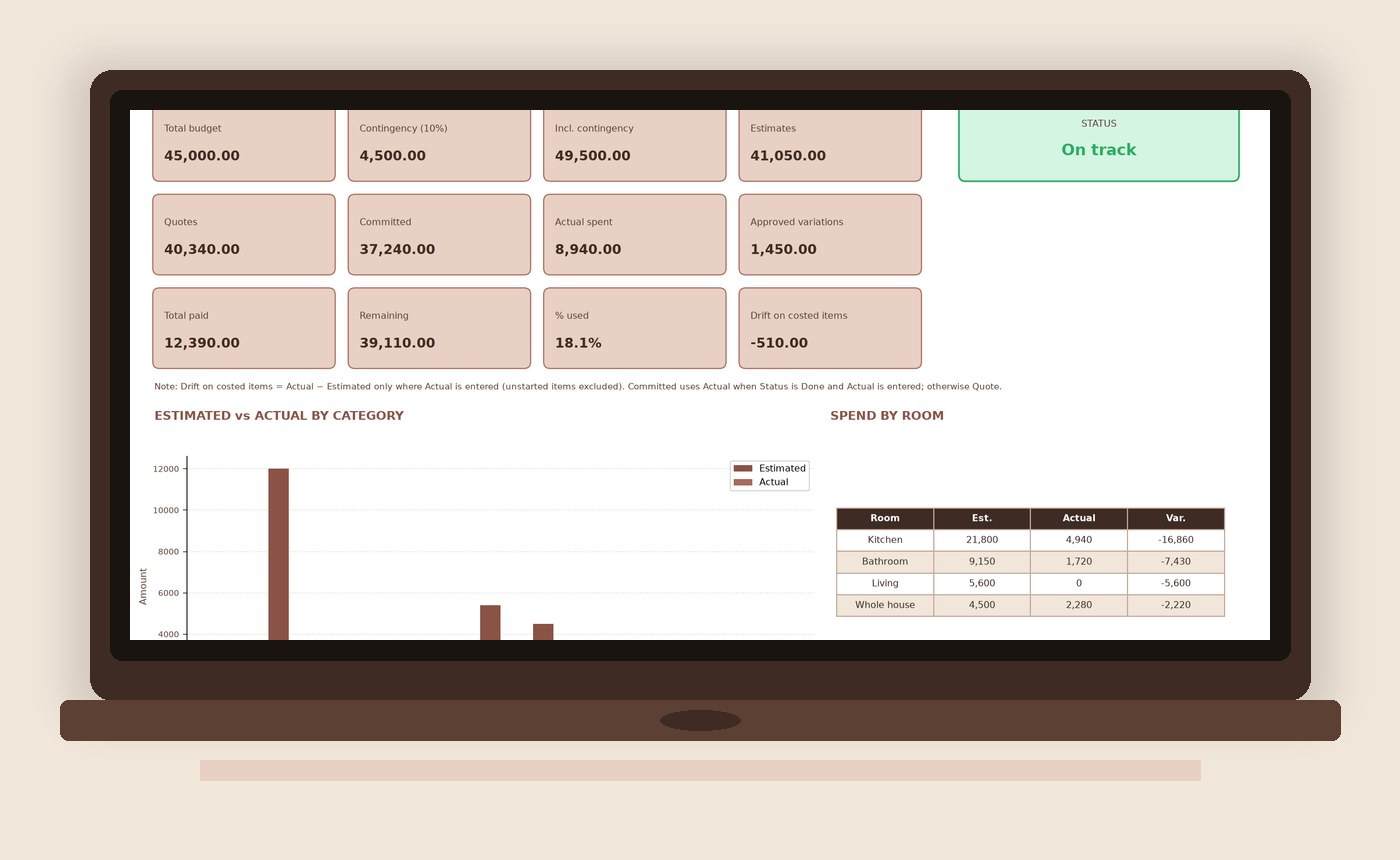
Launch offer US$14 (regular US$19) · one-time download
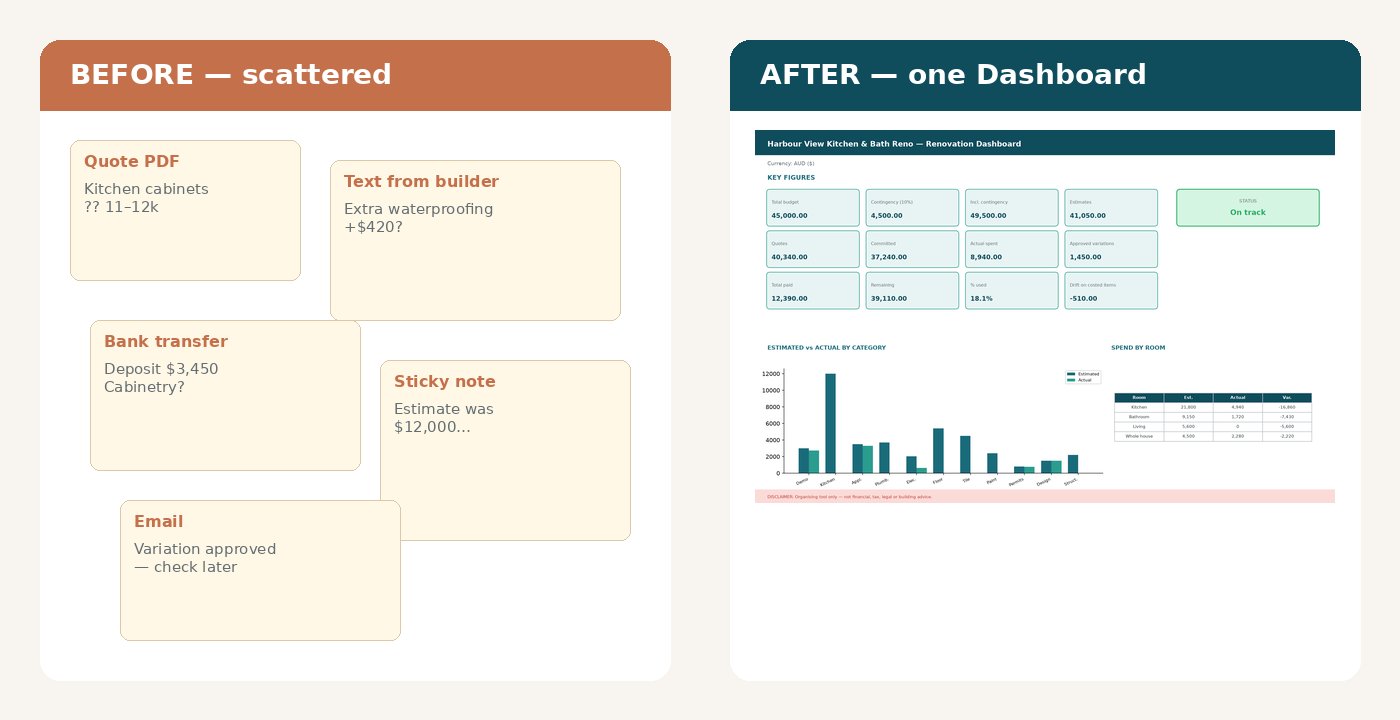
Costs drift — a higher quote here, an approved variation there, a deposit that isn’t tied back to the line item.
Planning numbers sit in a note, a message, or a rough spreadsheet of their own.
PDF quotes and texts don’t update your running totals automatically.
What you paid and what was finally billed can diverge from the estimate without a clear warning.
An honest before/after using the real product screens — not staged lifestyle photos.
Three calm steps. No macros. No finance degree required.
On Start Here, enter project name, currency (AUD/USD/GBP/CAD/NZD), total budget and contingency %.
Log estimate → quote → actual. Record variations and payments. Compare up to three quotes side by side.
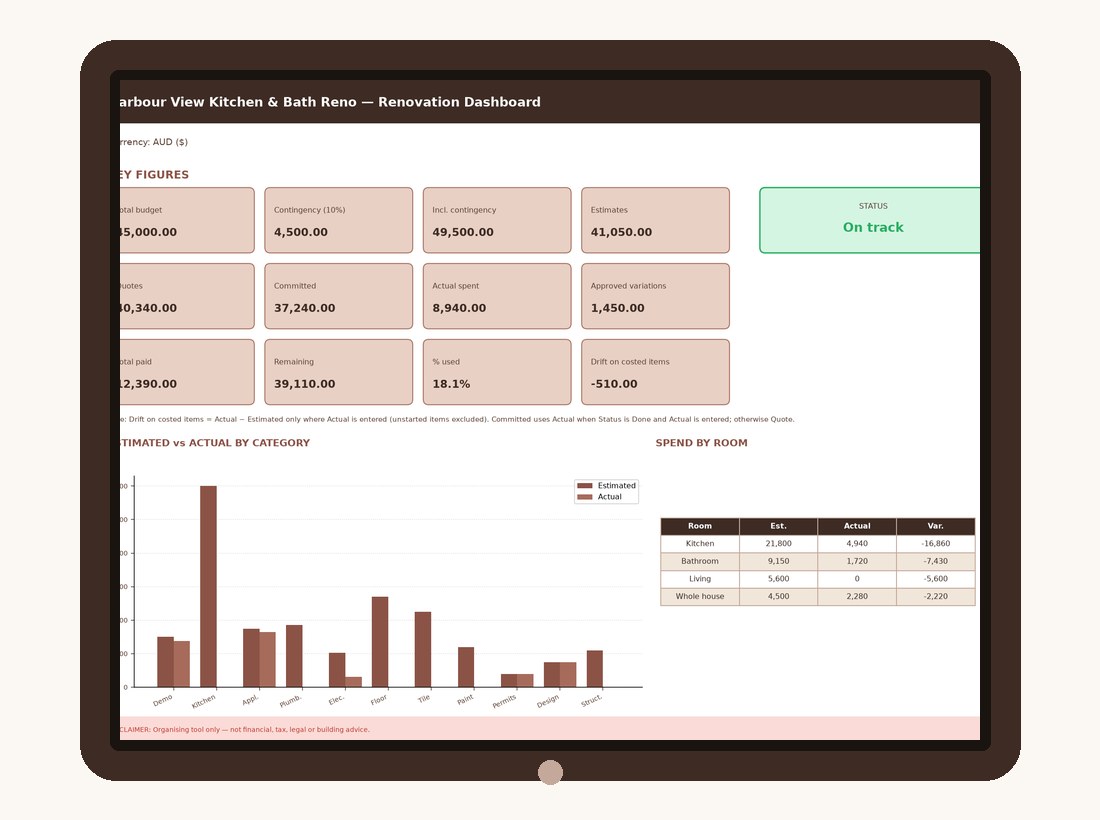
See remaining budget, committed spend, drift on costed items, and an overspend warning when you cross the line.
Benefit-led features using the real workbook screens.
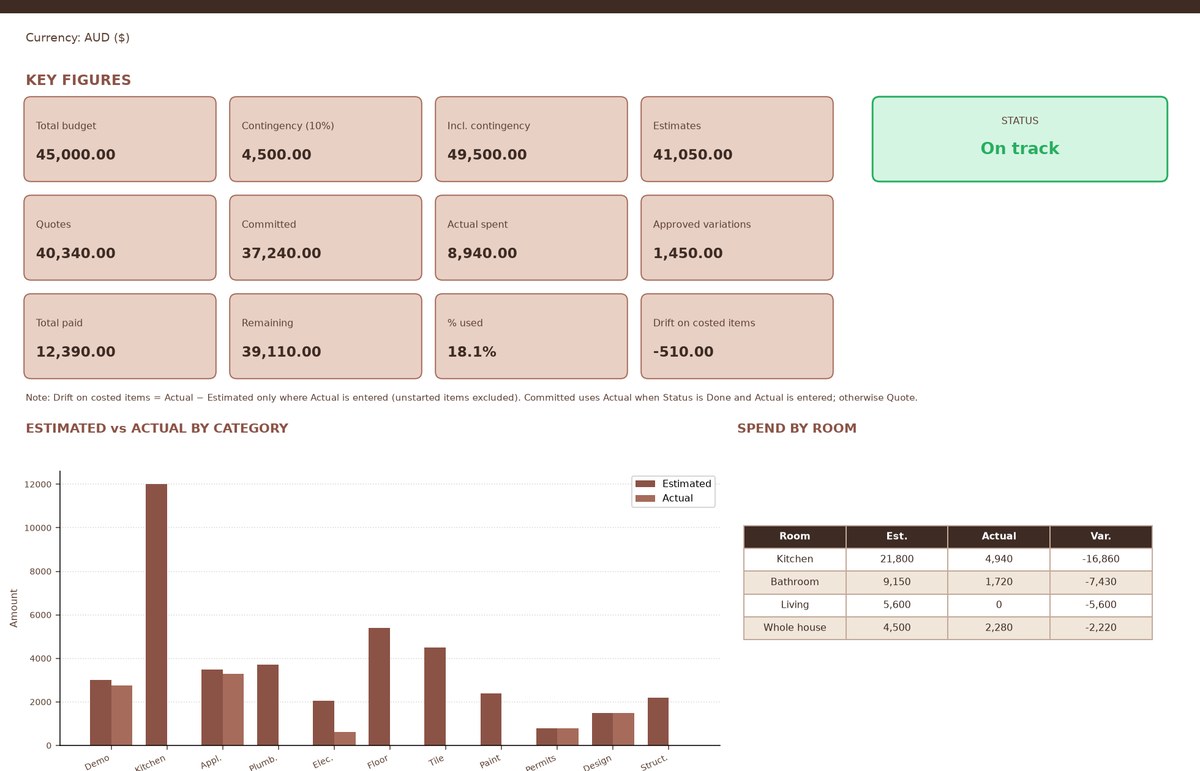
Know where you stand without hunting through columns.
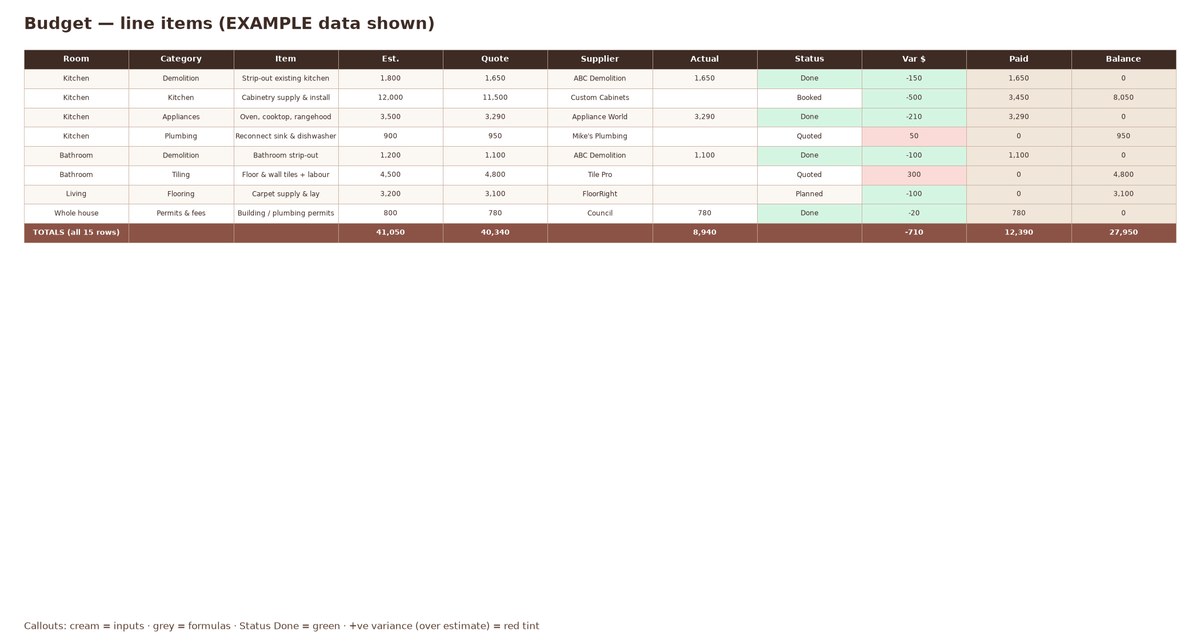
Estimated → Quoted → Actual, with status you can scan at a glance.
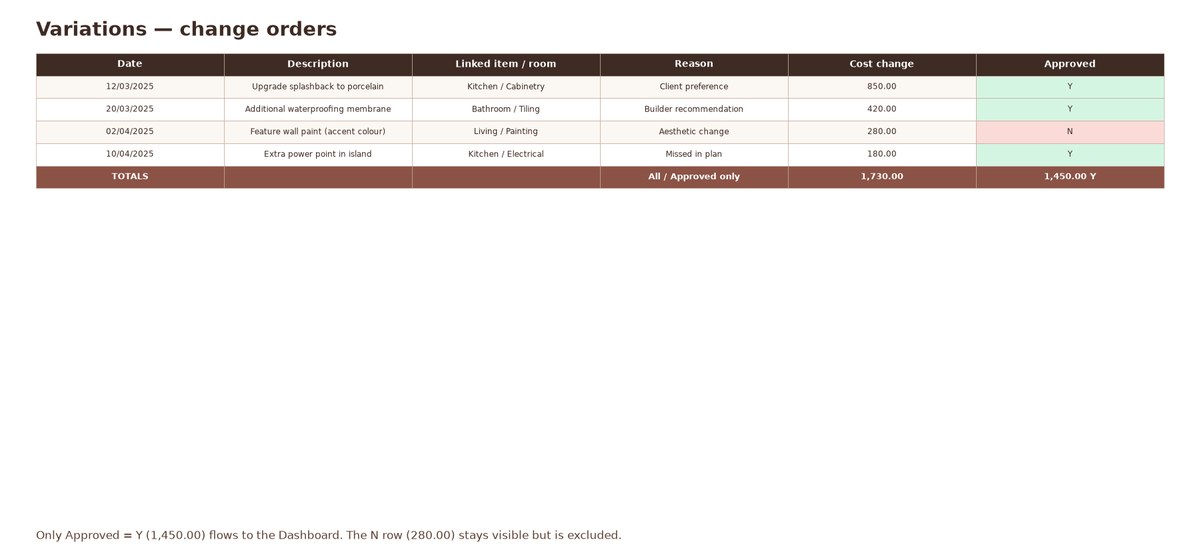
Change orders with Approved Y/N — only approved totals hit the Dashboard.
Everything in one download — no subscription.
Are a homeowner or DIY renovator in AU, US, UK, CA or NZ who wants one clear place for project money — comparing quotes, tracking deposits, and spotting drift early.
Tax returns, GST/BAS lodgements, construction contract law, or a replacement for a builder, quantity surveyor or accountant.
One-time purchase. No fake countdown. No “only 3 left”.
Regular price US$19 · one-time digital download · no subscription. Local taxes may be calculated by Paddle at checkout.
If it isn’t right for you, request a change-of-mind refund within 30 days via Paddle (when checkout is live). You also keep any non-excludable rights under Australian Consumer Law / UK consumer law. Read the full Refund Policy.
Yes. You get an Excel .xlsx and a Google Sheets–friendly .xlsx (File → Import). No VBA or macros. Charts may need recreating after Sheets import; tables and formulas remain.
Yes — Microsoft Excel for Mac, or Google Sheets in any modern browser.
Currency labels for AUD, USD, GBP, CAD and NZD. Amounts use a plain number format so Excel and Sheets stay compatible.
No. It is an organising spreadsheet only. It does not calculate tax returns or provide legal or building advice.
See the Refund Policy. Draft: 30-day change-of-mind via Paddle, plus rights under Australian Consumer Law / UK consumer law that cannot be excluded.
When live, checkout is handled by Paddle.com as Merchant of Record. Paddle handles payment, applicable taxes, invoices and buyer payment support.
Boss Mode — trading name of [SELLER LEGAL NAME] (sole trader).
Email: [CONTACT EMAIL]
Replace the remaining placeholders before publishing. For payment or refund questions after purchase, buyers can also contact Paddle via paddle.net when checkout is live.